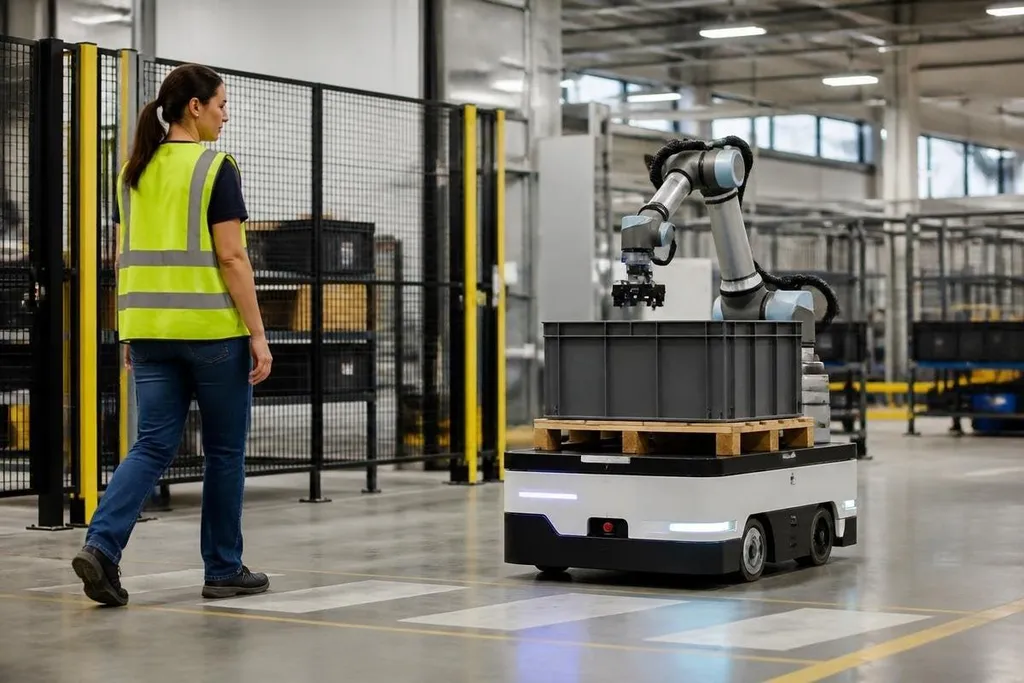
A safe robot does more than stop when someone walks in front of it. It must limit its speed, force, and range of motion, then respond correctly when a sensor fails or a person enters its work area.
For a manager placing an autonomous system near staff, the useful question is practical: what happens when the robot meets an event its maker did not plan for?
Quick read
- Speed and force limits reduce the harm from contact.
- Sensors need a safe response when readings become unclear.
- Training, physical barriers, and clear restart rules matter after installation.
Safety starts with the task
The same robot can have different risks in different places. An arm moving cardboard in a fenced cell has a different job from an autonomous mobile robot carrying parts through a shared aisle.
Start by listing where people stand, what they carry, where they walk, and what the robot can touch. Include setup, cleaning, maintenance, software updates, and recovery after a stop. A robot that is safe during normal work may create a hazard during a jam if staff must reach into its path.
That task review sets the limits. It also shows where a guard, marked walkway, speed limit, or trained operator is needed. Safety begins before the robot moves.
The robot must sense people and problems
Most robots use several inputs to judge their surroundings. These can include cameras, LiDAR, pressure sensors, joint position data, and switches on doors or covers. Each input gives the control system a partial view, so the robot needs a defined response when the readings disagree.
A person wearing dark clothing, a blocked camera, dust on a sensor, or a lost network link can change what the robot detects. The safe response should be known before installation. In many tasks, that means stopping motion or switching to a slower mode while an operator checks the area.
The stop itself needs a test. Measure how far the robot travels after a stop signal, then leave enough space for that movement. A warning light helps people understand the robot's state, but a light cannot replace a physical stop or a safe gap.
Limit speed, force, and stored energy
Contact risk depends on more than the robot's top speed. A light arm moving slowly may cause less harm than a heavy arm with a load, even at the same speed. The gripper, tool, payload, and nearby surfaces all change the result.
Useful limits can include reduced speed near people, low force at the end effector, and a lower payload during shared work. An end effector is the tool at the end of an arm, such as a gripper or welding head. Its shape matters because a sharp edge and a rounded pad do not create the same injury risk.
The control system should also prevent motion after power returns unless a person gives a clear restart command. Stored energy in a raised arm, charged battery, or pneumatic line can remain dangerous after the main drive stops.
Safe behavior needs proof
A safety claim needs a test plan. Run the robot through normal work, blocked sensors, lost communications, opened access doors, unexpected objects, and power loss. Record what the robot did, how long it took to stop, and what the operator had to do next.
That record gives a site team something to check after a software change or hardware repair.
A safety claim needs more than the maker’s stated limits. Dated robot safety reports can put a named robot’s task, test setting, and stop behavior beside the claim before you judge the demo.
A demonstration can show that a robot stops in one planned case. It cannot prove safe behavior in every setting. Ask for the operating conditions, test method, sensor limits, and restart process before the robot shares space with staff.
A site check before shared operation
Use this checklist before people and the robot work in the same area:
- Map the work area: mark human paths, robot paths, loading points, and places where someone may need to reach inside.
- Set motion limits: record the allowed speed, force, payload, and tool position for shared work.
- Test stop behavior: check emergency stops, protective sensors, door switches, and the distance traveled after a stop.
- Plan sensor faults: decide what happens when a camera, LiDAR unit, network link, or position signal fails.
- Control restarts: require a clear reset step and confirm that the area is empty before motion begins again.
- Train the site team: show operators how to stop, isolate, inspect, and report a fault without entering an active path.
The open issue is often the handoff between the robot maker and the site team. A machine may meet its stated limits in a test area, while the installed layout adds blind spots, loose parts, or new tasks.
I’d choose a slower robot with clear fault behavior over a faster one that leaves the operator guessing. Before shared operation starts, ask for the test record, then repeat the relevant checks after every change that affects motion or sensing.